App scripts are now able to create manual links between component versions.
[
#11431
]
The manual link between versions can be created by adjusting the component metadata json file. This feature is especially useful for the integration of diff external application with which a merge on the component level can be acheived. The manual link can be created in an app script. For example:
import os
import json

from external_application import edit_data, configured_applications, AuxiliaryContentLoader


if __name__ == "__main__":
    content_loader = AuxiliaryContentLoader()
    first_entry = edit_data.selected_pool_entries[0]
    second_entry = edit_data.selected_pool_entries[1]

    # Note: currently, the metadata can only be updated for pool entries that have
    # been exported first.
    content_loader.request_pool_entry_export([first_entry.uuid])

    first_entry_metadata = content_loader.request_metadata(component_uuids=[first_entry.uuid])

    metadata_dir = os.path.join(edit_data.working_directory, "component_metadata")
    first_entry_metadata_path = os.path.join(metadata_dir, first_entry.filename + ".json")

    with open(first_entry_metadata_path, "r") as f:
        first_entry_metadata = json.loads(f.read())

    first_entry_metadata.update({
        "linked_entries": [str(second_entry.uuid)],
        # Set this to true if the link should be created for the newly derived
        # version when editing a public version.
        "link_entries_with_derived_version": True,
    })

    with open(first_entry_metadata_path, "w") as f:
        json.dump(first_entry_metadata, f)
Improvement
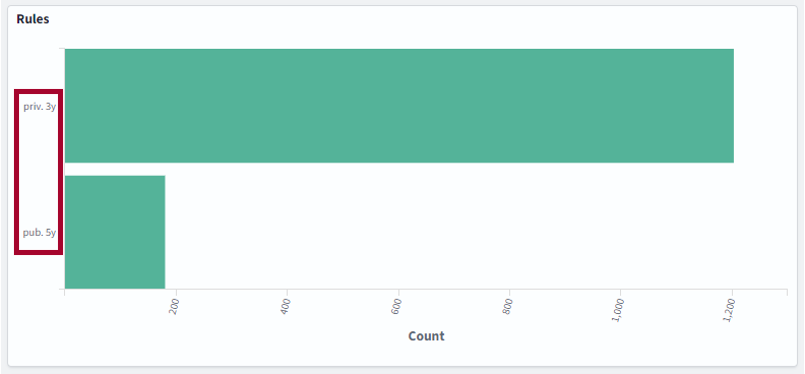
SCALE.search: Retention rules are now displayed with a description in the SCALE.search dashboard. This helps users recognize the retention rules more easily.
[
#14
]
Retention rule description
Improvement
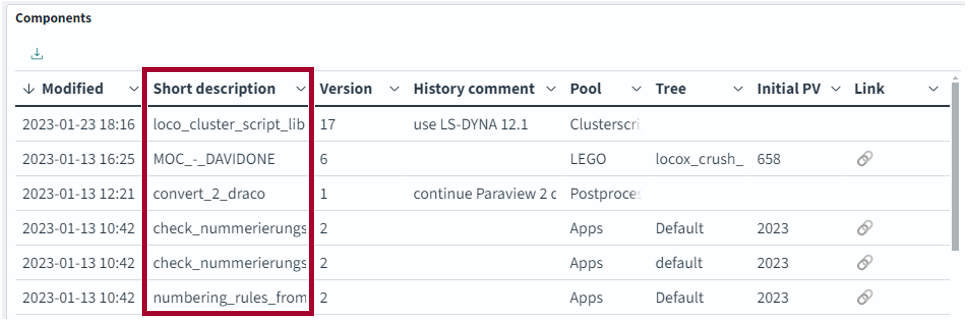
SCALE.search: The "short description" of components is now transferred to the search index and displayed in the list of results.
[
#11461
]
Component short description
Improvement
The AuxiliaryContentLoader is now able to access the files that are attached to components.
[
#11446
]
Example: A user wants to log the history and modifications of a component in a separate tool. The user does this by attaching a log file to the component. The user wants a post-edit script to be able to modify the log file. That means, the post-edit script needs the ability to access the attached files.
First the request_attachment_list method is used to fetch a list of attachment file names. Then the request_attachments_export method is used to pass the appropriate file names to the export method.
from external_application import edit_data, AuxiliaryContentLoader
import os

auxiliary_content_loader = AuxiliaryContentLoader()

pool_entry = edit_data.selected_pool_entries[0]

# Request a list of all attachment file names to find the desired one.
# The names in the list are the same as they would be after export. That means
# that they start with the name of the pool entry they are attached to.
attachments = auxiliary_content_loader.request_attachment_list(pool_entry.uuid)

# Find the desired attachment by searching for the known name part
log_file_attachment = next((a for a in attachments if "log_file.txt" in a), None)

if log_file_attachment:
    # To automatically re-import changed attachments, they have to be exported
    # the the "reports" directory. If no re-import is desired, they can be
    # exported somewhere else.
    reports_dir = os.path.join(edit_data.working_directory, "reports")
    os.makedirs(reports_dir, exist_ok=True)

    auxiliary_content_loader.request_attachment_export(
        pool_entry_uuid=pool_entry.uuid,
        attachment_names=[log_file_attachment],
        export_path=reports_dir,
    )

# update actions for the exported attachment
log_file_path = os.path.join(reports_dir, log_file_attachment)
with open(log_file_path, "r") as fh:
    content = fh.readlines()
content.append("Additional line with updates")
with open(log_file_path, "w") as fh:
    fh.write("".join(content))
We would like to use third party cookies and scripts to improve the
functionality of this website.ApproveDenyMore info