1.268
Release date: August 11, 2026
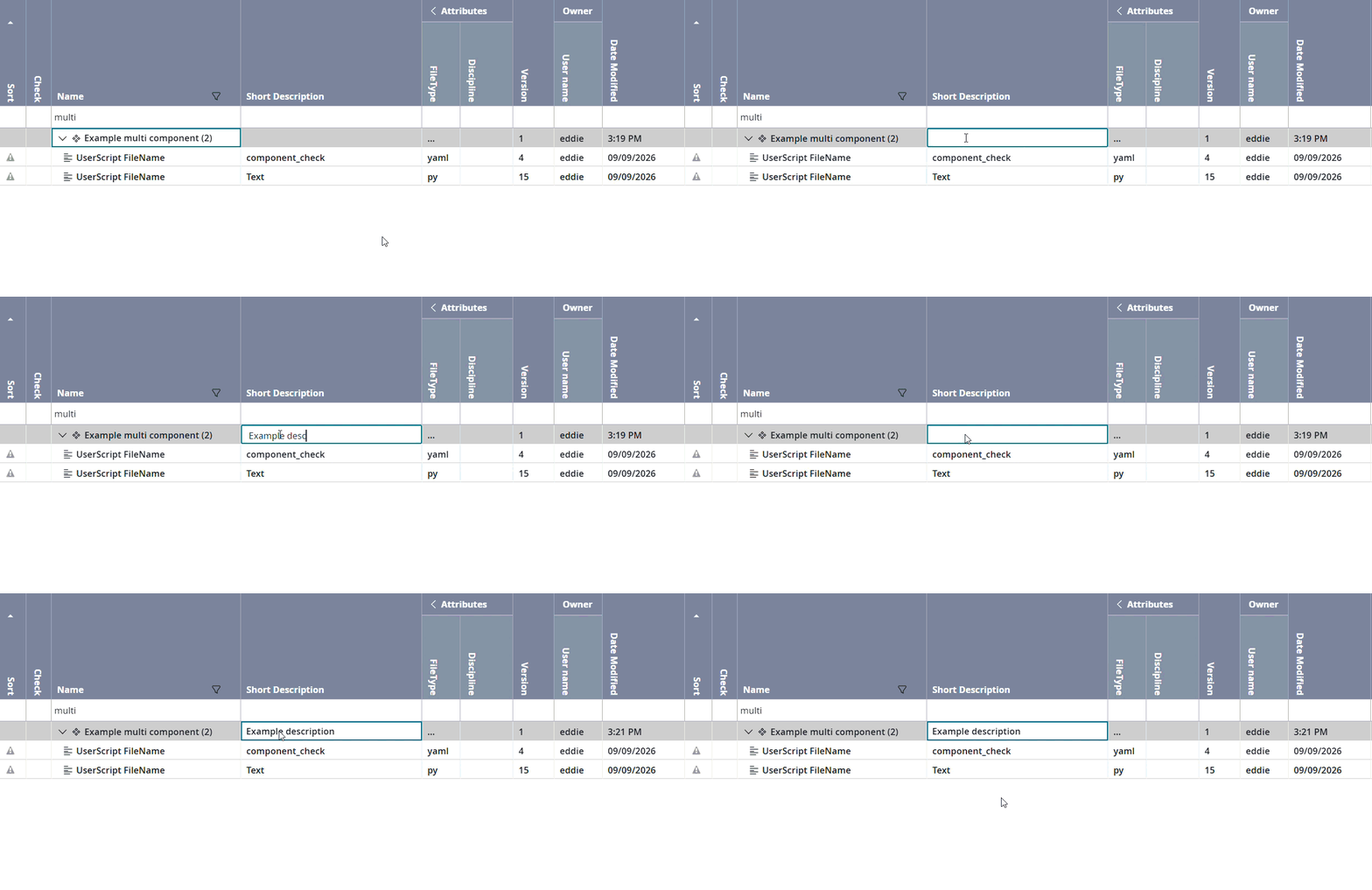
| New feature | Users can now add a short description to multi components.
[
#31
] Previously, it was only possible to edit the name of a multi component. Now users can also edit the short description. The workflow is as follows:
|
| Improvement | An "unsorted" option was added to the "Groups" view.
[
#11770
] Previously, the Groups view only provided two sorting options (sort in ascending and descending order). Now, a third “unsorted” option has been added. This is consistent with the three sorting options provided in the Runs and Pool version views. The three sorting options are:
|
| Improvement | The "AI Assistant" is now displayed with a custom theme.
[
#11741
] This improvement builds upon the AI Assistant component, which was added in version 1.266. The AI assistant initially used the Carbonfox (light) theme, which closely matched the Model client theme. A new custom theme has now been applied to match the theme exactly. |
| Bug fix | The 3D preview now reloads after the preview.mvz blob finishes downloading.
[
#11693
] When a component is first selected, the client begins downloading its attachments while also loading the Properties view and the 3D preview. Previously, the 3D preview did not reload once the preview.mvz finished downloading. Users had to re-select the component manually. This has been fixed. The 3D preview now reloads automatically once the preview.mvz blob is available (if one exists). The 3D preview also now shows a loading icon while a preview.mvz or image file is still downloading. |
| Bug fix | Users no longer receive an error when dragging a parameter table in the "Paste" tab.
[
#11750
] Previously, when users copied a parameter table and pasted it into a pool version, an error occurred in the Paste tab if they dragged the parameter table into a different group. The error specified that there was a problem retrieving the readable path. This has been fixed. This has been fixed; dragging a parameter table to a different group no longer produces an error. |