2.0.1
Release date: April 08, 2026
End of Life: April 08, 2028
List of all changes
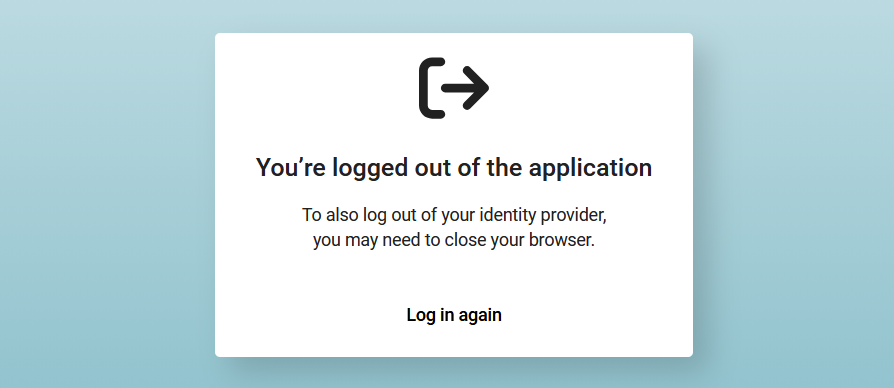
| New feature MISC | The logout page was updated to handle JSON responses.
[#8060] Improvements were made to the logout page. It now displays confirmation messages and any relevant information based on the parsed JSON (e.g. success message, error details).
|
| Improvement RESULT | The PDF preview is now downloaded and displayed more quickly.
[#8203] This improvement relates to the PDF preview, which appears e.g. after opening a report add-on. In the past, the report loaded very slowly, and the user did not see any feedback indicating that the report was still loading. This has been improved. |
| Bug fix PROJECT | Requirements are now loaded correctly when creating a new MDM test case.
[#8229] This fix relates to the area for creating a new MDM test case, which can be accessed by navigating to > Configuration > MDM > Test cases and clicking on New in the upper right corner. In the past, when expanding the Requirements area, the grid displayed “ERR” rather than displaying the list of MDM requirements. This has been fixed. |
| Bug fix PROJECT | Switching between 'Starred projects' and 'My projects' tabs no longer causes a delay.
[#8264] This fix relates to the area for selecting a project. In the past, there was a significant delay when switching between the Starred projects and My projects tabs. The tabs now load more quickly. |
| Bug fix PROJECT | Switching between views in the project requirements grid no longer causes an error.
[#8189] This fix relates to the requirements grid in Project. In the past, switching between views caused a TypeError to occur in the log. It also caused a loading spinner to be displayed in the views list, making it impossible for users to choose a different view again. This has been fixed. |
| Bug fix RESULT | The context menu now opens when right-clicking on an empty space in an attachment panel.
[#8262] This fix relates to the attachment panels in Result. For example, the tabs for Photos, Videos, Documents, Channels, etc. In the past, when right-clicking on an empty space, the attachment panel threw a frontend error and prevented the context menu from opening, thus blocking users from adding attachments. |
| Bug fix MISC | FileNotFoundError while running CleanupTmpDirJob is now handled and does not break the job. [#8192] |
| Bug fix MISC | LICENSE_SERVER_RLM now defaults to a blank string instead of None. [#8251] |
| Bug fix MISC | The error message 'Failed to load settings' is no longer displayed when starting the application.
[#7851] The message was displayed very briefly immediately before the login screen appeared. The issue that triggered the error has been fixed. |