
Product Update, 15 October 2026
What’s New in SCALE.sdm – August – September 2026
What’s new in SCALE.sdm in August and September 2026: short descriptions for multi components, smoother everyday work, quicker responses and a major update of the Data Analysis add-on.
- SCALE.sdm
- The core solution for simulation data management
- Add-on
- Optional extensions for SCALE.sdm
Updates in SCALE.sdm
SCALE.sdmShort Descriptions for Multi Components
Until now, only the name of a multi component could be edited. Now you can add a short description as well: double-click the Short Description column in the grid, enter the text and confirm with Enter.
New in1.268SCALE.sdm | Model
Smoother Everyday Work
New and duplicated run configurations are selected automatically right after they are created.
Changes to filters, grouping or columns now apply only to the current tab. A widget preset is only updated when you save it explicitly.
A safeguard prevents opening the same live component in two edit tabs of one client.
The Groups view offers an “unsorted” option, in line with the Runs and Pool version views.
Attachments of a component version that is not part of the current pool version, for example one selected in the history view, can now be opened.
Copying and pasting a run configuration within a pool keeps its history.
New in1.268 – 1.269SCALE.sdm | Model
Quicker Responses, Secure Sign-in
Faster permission checks when object permissions are used, with fewer database queries when the permission cache is refreshed.
Storage health checks are cached, which reduces the load from S3 connections.
Saving a file now starts one copy job for that file instead of one for the whole table.
The OpenID Connect scope can be configured in the operational settings.
Locked master data stays protected when licence checks are active.
Security updates of the application images.
New in2.2.5 – 2.2.9SCALE.sdm | Project + Result
Updates from Add-ons and Tools
Add-on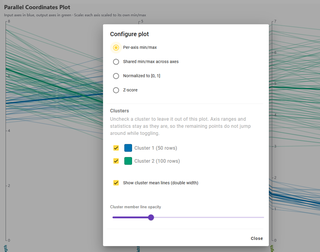
Data Analysis
Turn your data into actionable insights.
Find Structure with Clustering
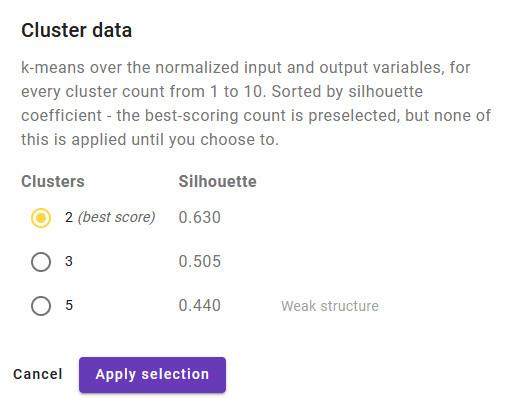
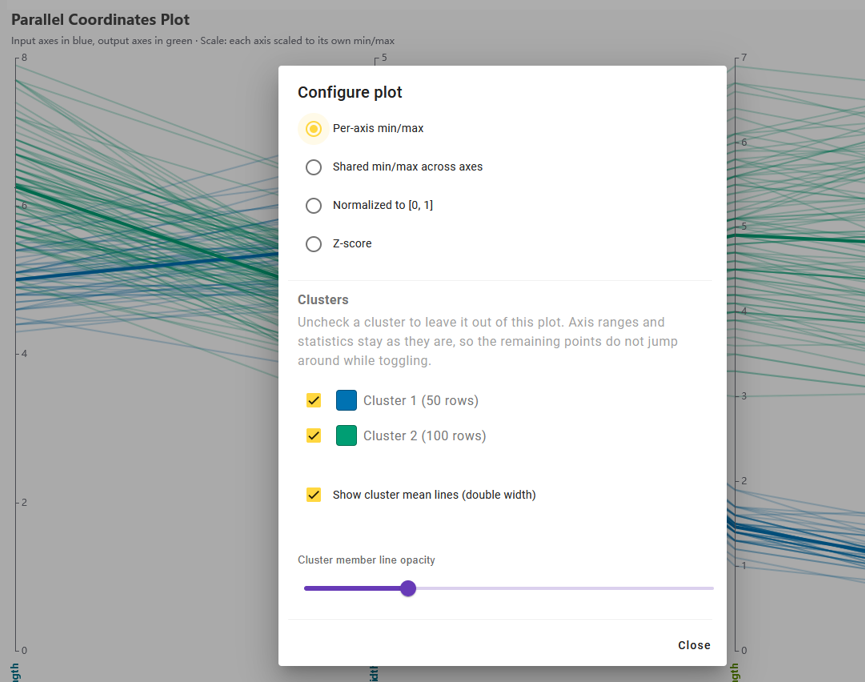
The new k-means clustering scores every cluster count from 1 to 10 and lists the best one first, with a clear quality hint. Once applied, one setting colours every plot by cluster, and the parallel coordinates plot shows the mean of each cluster.
New in3.0Data Analysis
Clearer Views of Your Data
The parallel coordinates plot now separates inputs from outputs, offers several axis scalings and works without a meta model. The overview matrix combines histograms, scatter plots and correlations in one view.
Sample data sets let you explore right away, and CSV files open directly from a test’s attachments.
New in3.0Data Analysis
Better Meta Models, Trained on the GPU
Training uses the graphics card where the browser supports it and falls back to the processor automatically. New defaults with early stopping deliver better models at comparable or shorter runtime.
New in3.0Data Analysis
Model Quality You Can Trust
A neural network trains in the background next to the linear model, so you see whether the response is really non-linear.
A coloured rating combines training and test scores for every model.
A newly trained model is not made active if its test score is negative or clearly below that of the active model.
New in2.2 – 3.0Data Analysis