Skip to content
SCALE.sdm
Demo

Extend with Add-ons

Tailored to Your Needs

Thirteen add-ons extend SCALE.sdm with test planning, visualization, analysis, reporting and automation. All of them work directly in the web interface with your data in SCALE.sdm – no extra software, no exports.

Plan

Plan test facilities and equipment

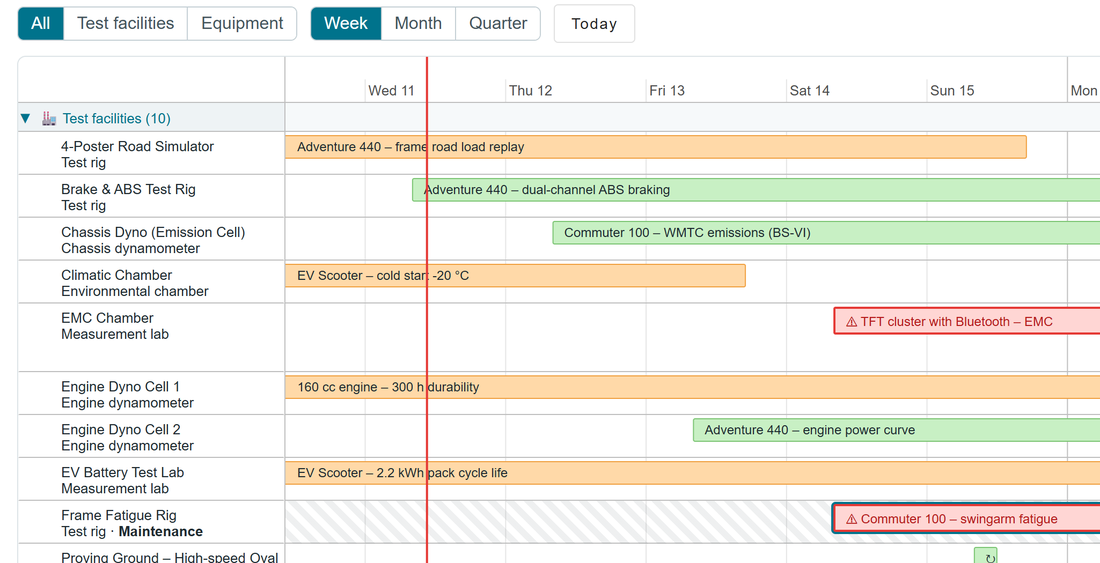
Wochenansicht: Belegungen als Balken, per Drag & Drop verschiebbar
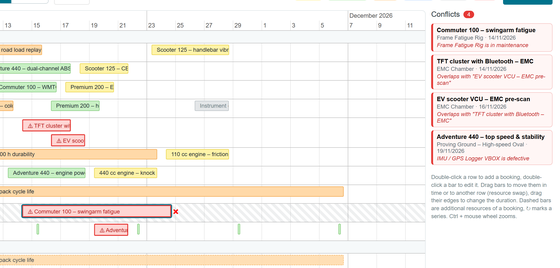
Konfliktliste: Ein Klick springt zur betroffenen Belegung
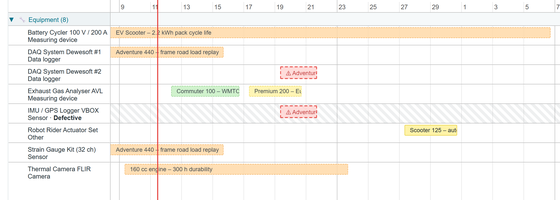
Ausrüstungsansicht: Messtechnik, die zusammen mit einer Testanlage gebucht ist, erscheint gestrichelt

Test Facility and Equipment Manager

Plan test rigs, chambers and measurement equipment in one shared schedule, directly in SCALE.sdm. Conflicts are visible at once, and every booking is linked to its load case.

  • Facilities and equipment with status: available, maintenance, defective
  • Drag-and-drop bookings in week, month and quarter view
  • Conflicts highlighted and flagged while booking
  • Recurring bookings, load cases from SCALE.sdm, export to Excel and Outlook
More about the add-on →

Visualize

View models and results in 3D

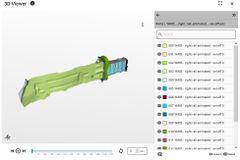
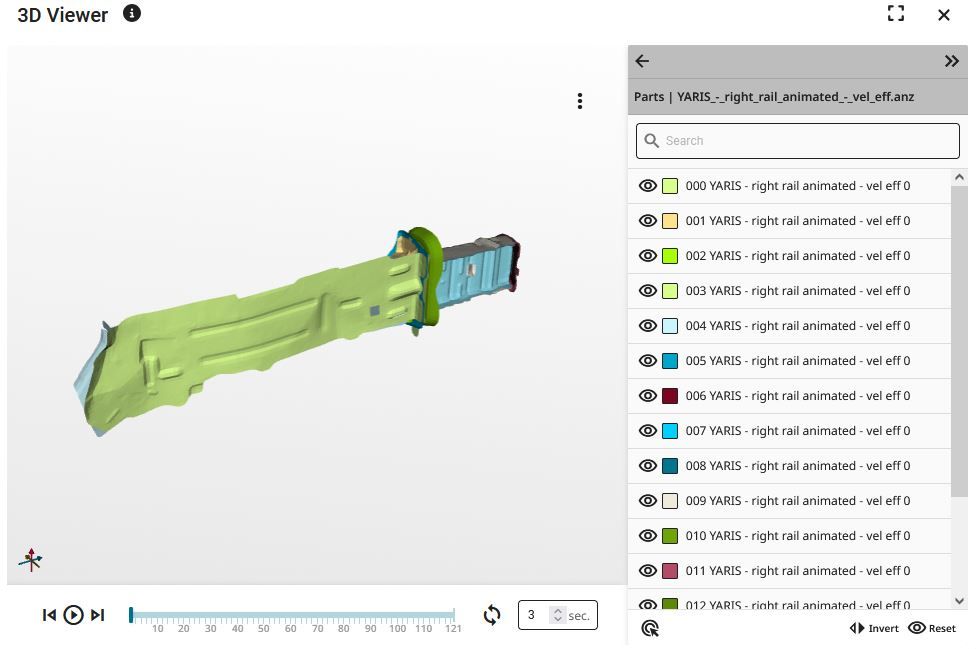
3D Viewer in SCALE.sdm mit Bauteilliste und Animation

3D Viewer

See your models in 3D, right next to their data in SCALE.sdm. Understand structure, motion and differences between variants without opening a CAE tool.

  • Show one or several models at once
  • Show and hide parts
  • Play motion sequences as animations
  • Switch between models in an instant
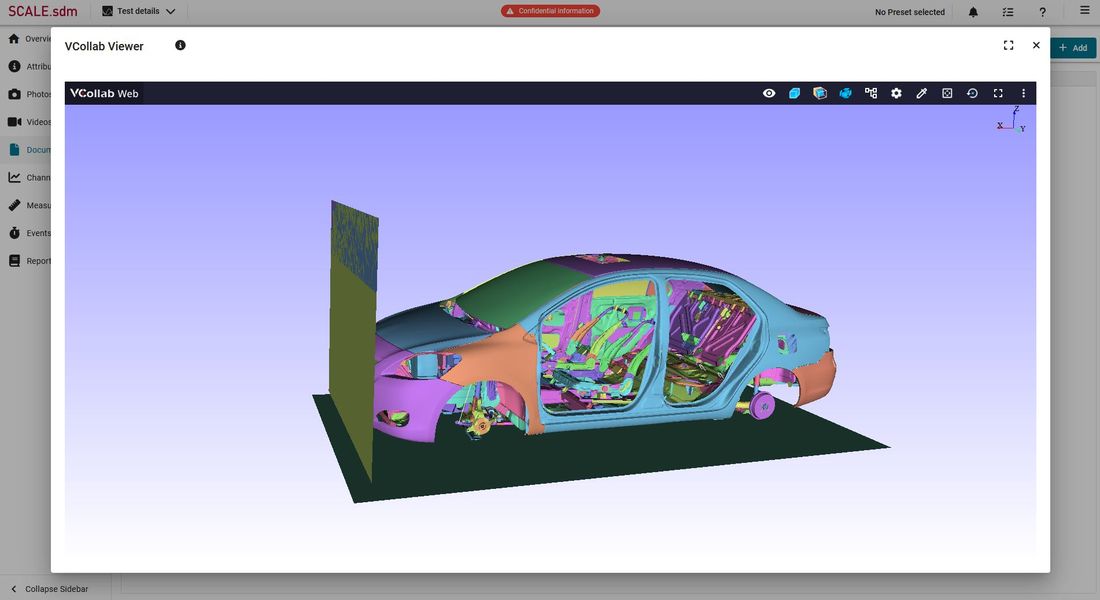
VCollab Web Viewer mit Fahrzeugmodell in SCALE.sdm

VCollab Web Viewer

Partner solution by VCollab, integrated into SCALE.sdm

View simulation results directly in SCALE.sdm, without conversion or extra software. Lightweight 3D models make results easy to share for reviews and presentations.

  • Abaqus, Ansys, Nastran and LS-DYNA
  • Stress, strain, temperature and deformation, interactive
  • Filter, zoom and highlight
  • Lightweight 3D models for sharing

Analyze

Find relationships, assess signals

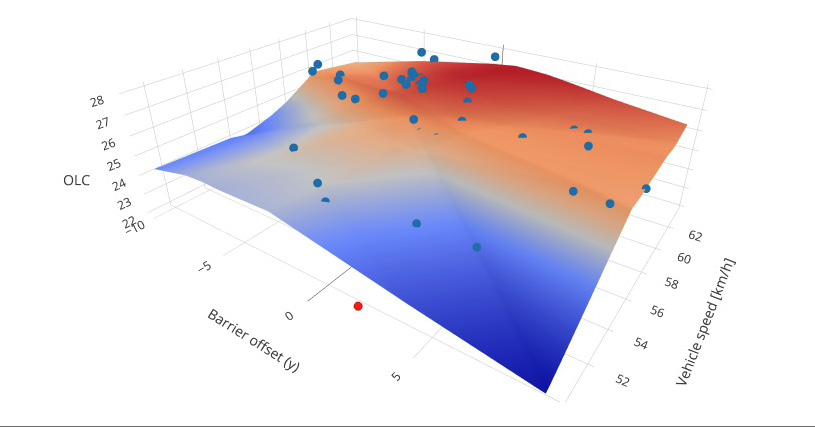
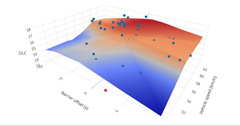
Antwortfläche eines Ersatzmodells mit Messpunkten in 3D
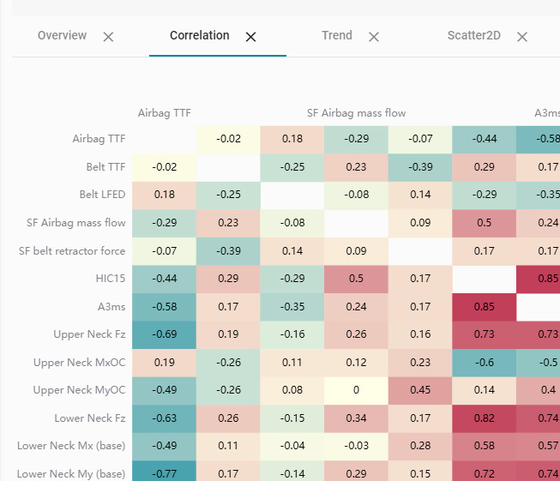
Korrelationsmatrix von Eingangs- und Ergebnisgrößen
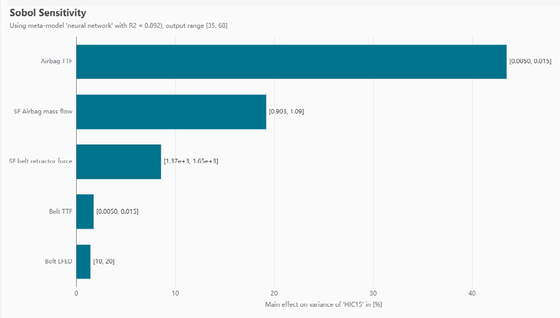
Sensitivitätsanalyse nach Sobol als Balkendiagramm

Data Analysis

Analyze simulation and test results together: detect outliers, identify the key influencing parameters and predict results for new variants with surrogate models.

  • Correlation, scatter and anthill plots
  • Automatic outlier detection
  • Sobol sensitivity analysis
  • Surrogate models with neural networks (TensorFlow)
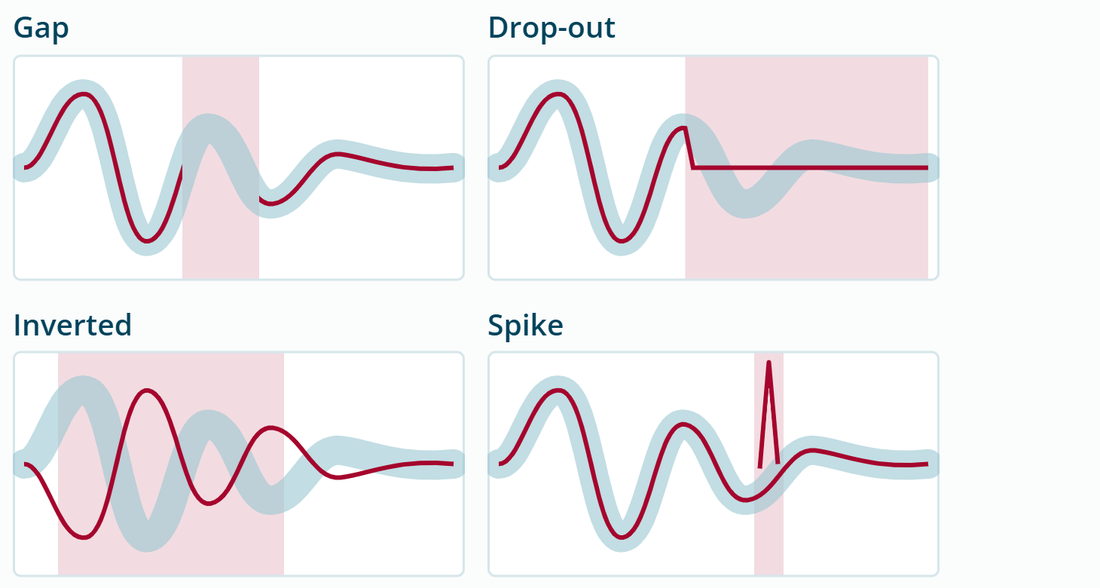
Vier erkannte Abweichungen einer Kopfbeschleunigung: Lücke, Aussetzer, invertiert, Spitze

Time Series Analysis

The add-on learns from your own data what measurement channels look like. It proposes labels for new channels and finds gaps, drop-outs or inverted signals before evaluations rely on them.

  • Recognise channel code, direction and unit from the curve
  • Report gaps, spikes and inverted signals with their time range
  • “Unknown” instead of a wrong label
  • Training in the browser, no servers or installation
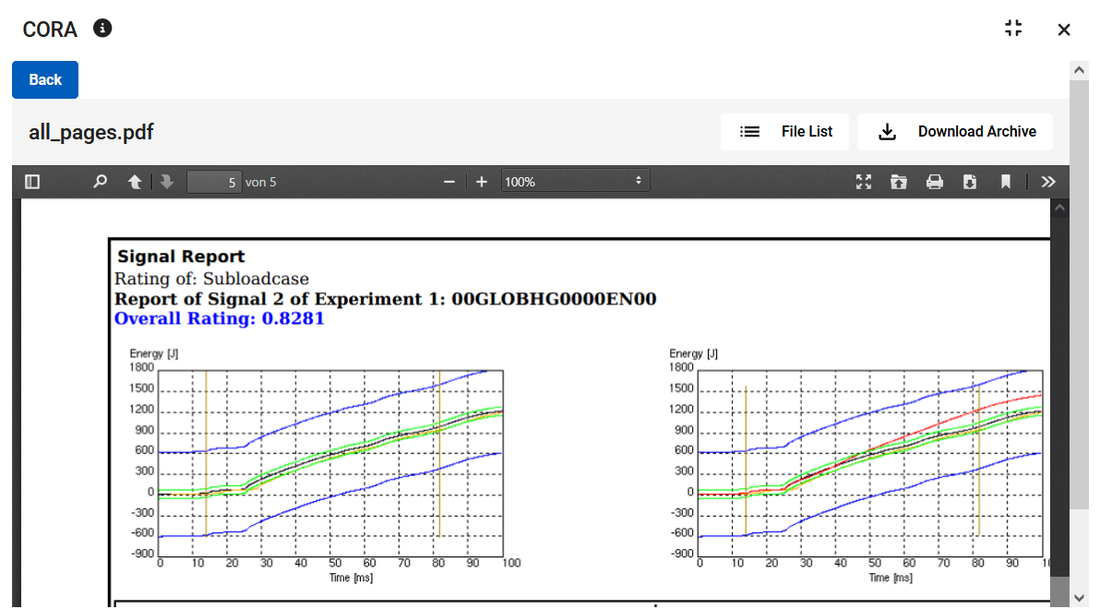
CORA-Bericht mit Bewertung zweier Signale in SCALE.sdm

CORA

CORA rates how well time histories from test and simulation match, with a score from 0 to 1. The add-on brings the CORA software by pdb into SCALE.sdm – automated and in the browser.

  • Corridor and correlation method combined
  • Parameters adjustable per application
  • Results as a PDF report
  • No installation needed
CORA at pdb →

Report and export

Document and share results

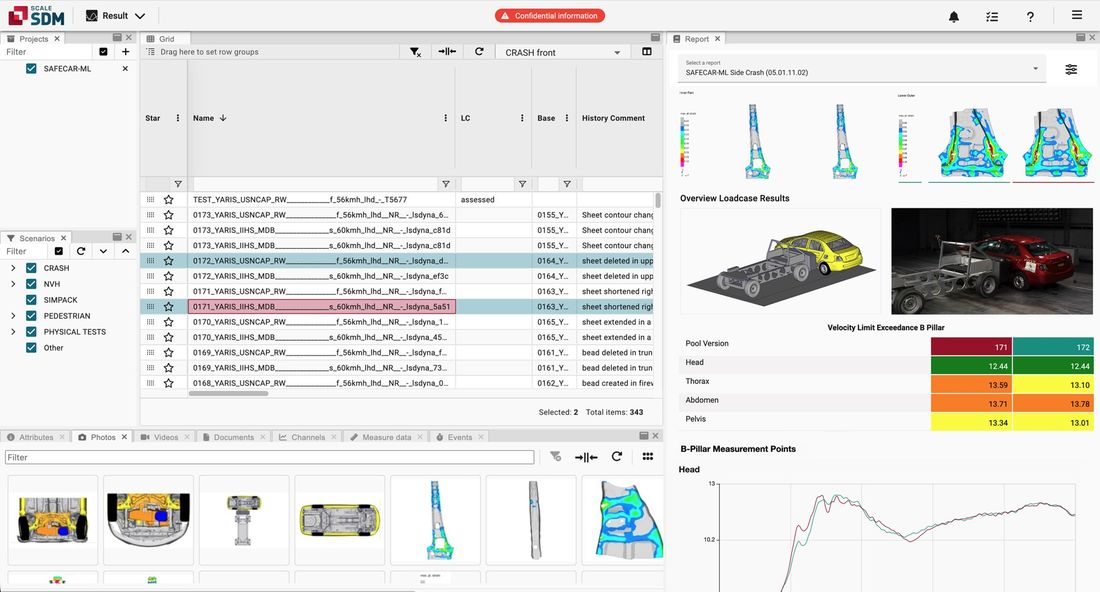
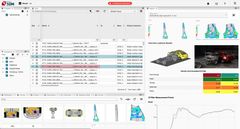
Report Designer in SCALE.sdm: Ergebnisraster mit Bericht zu Lastfällen
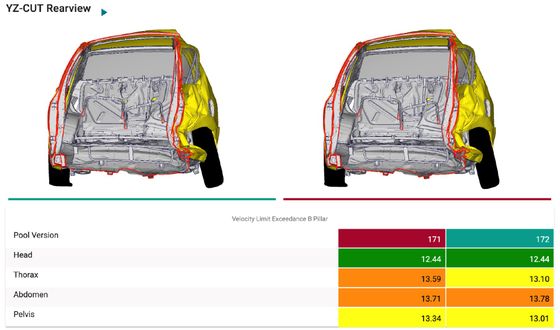
Bericht mit Schnittansicht zweier Varianten und farbiger Kennwerttabelle
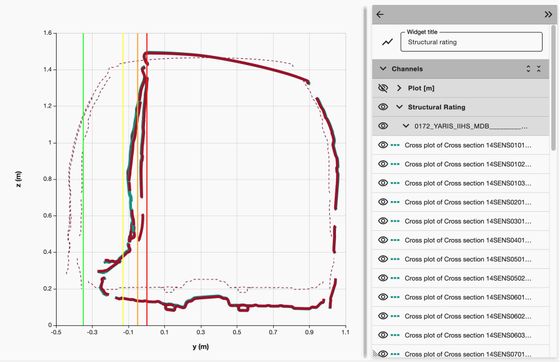
Diagramm-Widget mit Querschnitten und Kanalauswahl

Report Designer

Combine charts, key values and images into reports, straight from the current data in SCALE.sdm. Templates can be reused by the whole team, across projects.

  • Combine charts, text and images freely
  • Calculations directly on the data
  • Save and share templates
  • View, export and share reports
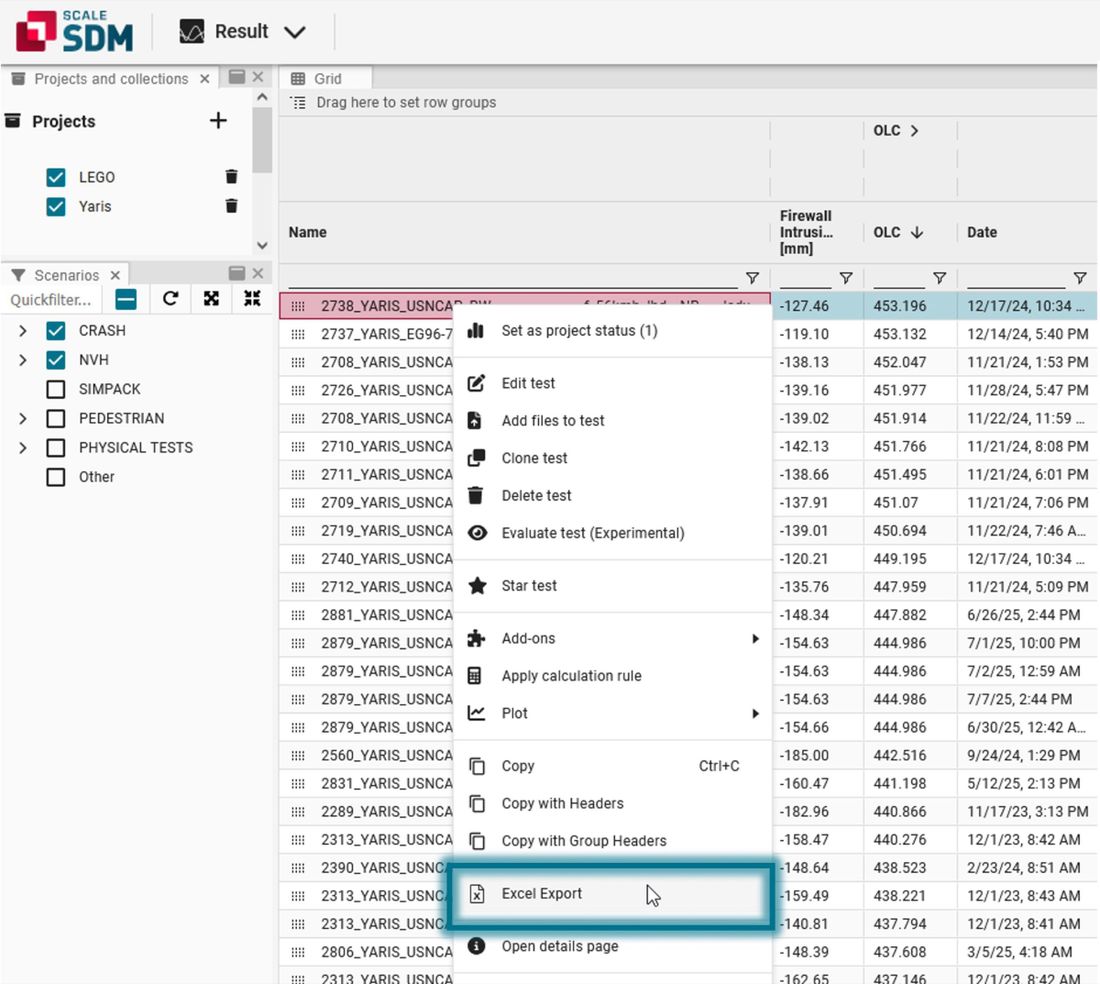
Kontextmenü im Ergebnisraster mit Excel-Export

Excel Template Export

Export results of many entries at once into your own Excel templates, structured and in the layout you are used to. Once uploaded, templates are available to the whole team.

  • Define structure and layout with Excel templates
  • Apply templates directly in the result grid
  • Templates per discipline
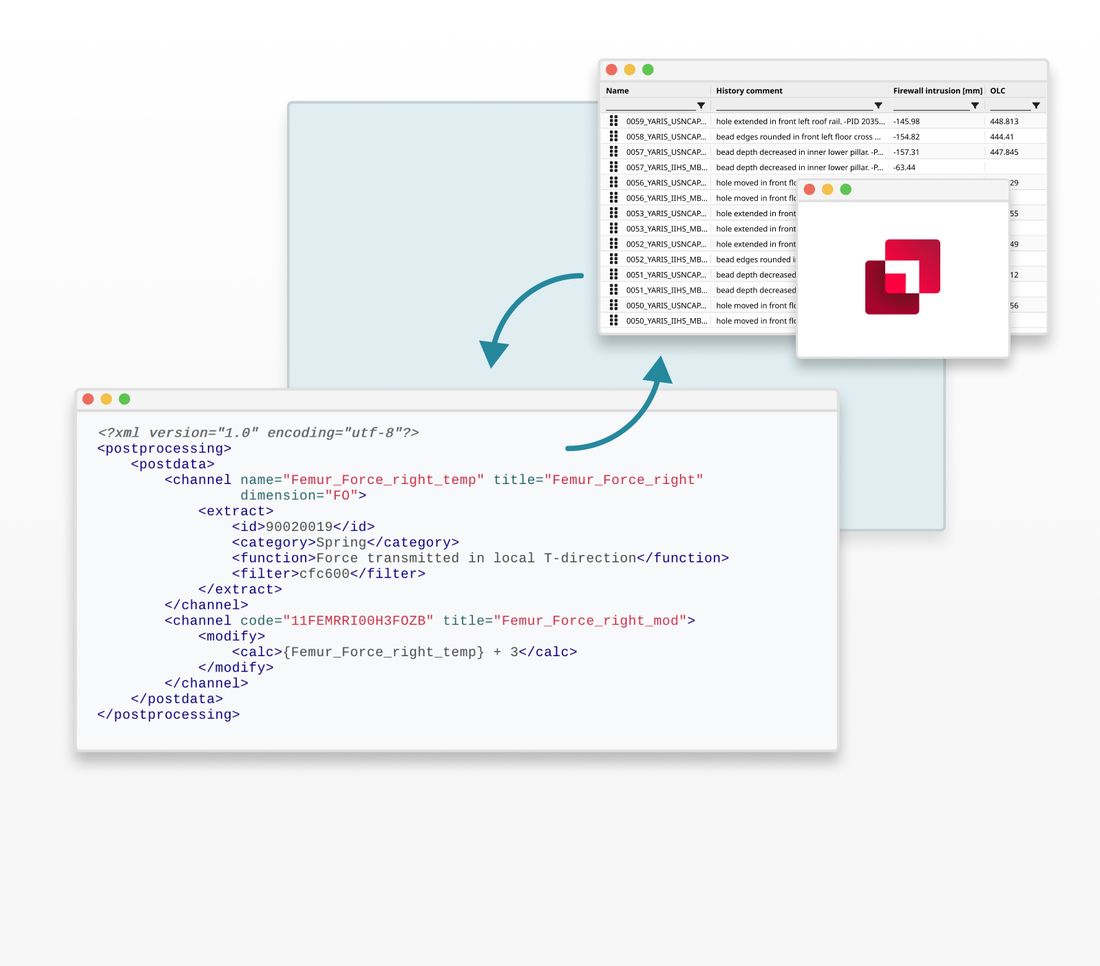
Illustration: ISO-MME-Daten zwischen SCALE.sdm und anderen Systemen

ISO-MME-Export

Exchange crash test data with other systems in the ISO-MME format: export selected channels, attachments and metadata, or import complete ISO-MME structures.

  • Export and import in ISO-MME format
  • Select exactly what to export
  • Keep working while the export runs
  • Customisable, source code available on request
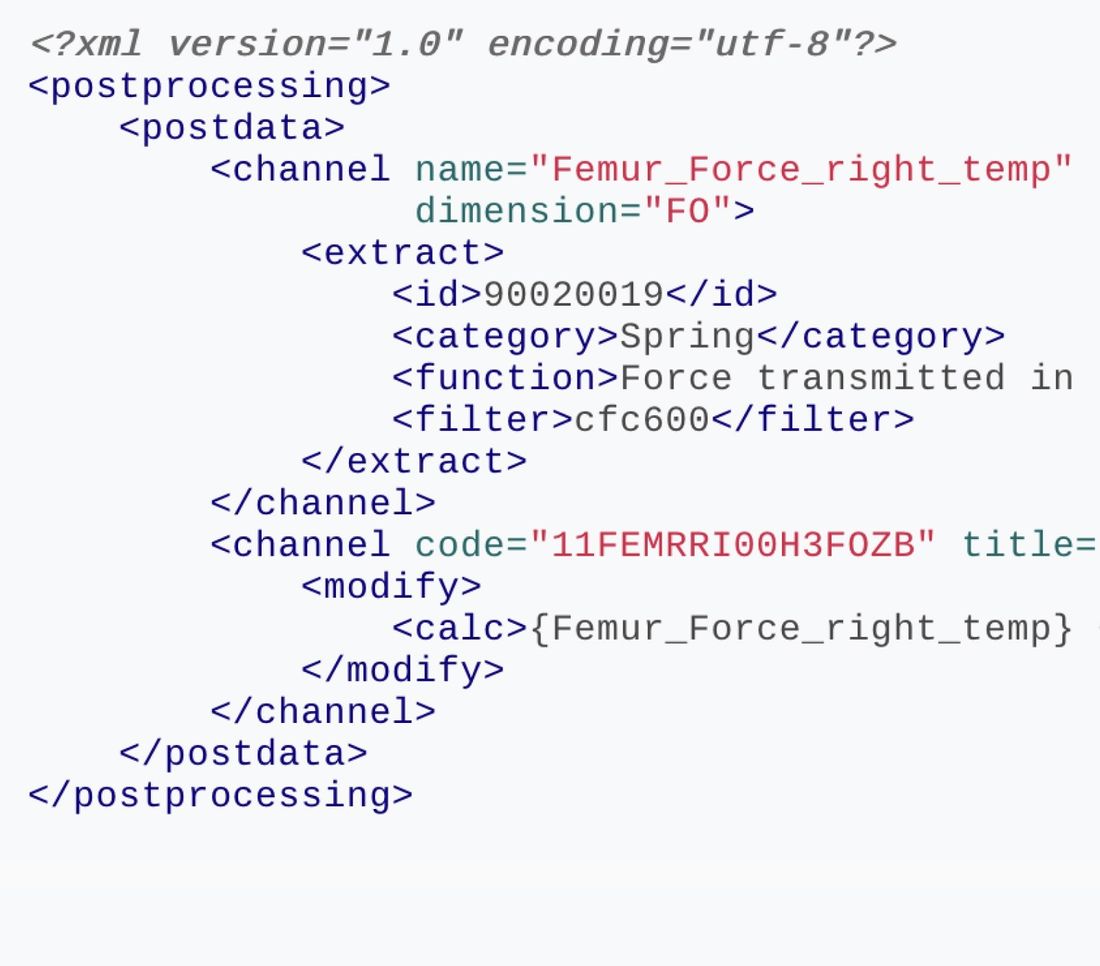
XML-Vorgabe für die Extraktion eines Kraftkanals

GECO Extractor

GECO Extractor pulls curves, key values, images and movies from simulation and test results and derives further quantities. The output is consistently in ISO-MME 1.6 format.

  • Extract curves, values, images, movies, contours and points
  • Derive further quantities with formulas, filters and smoothing
  • Rules in XML, selected automatically per component

Automate and maintain data

Automate workflows, keep your data clean

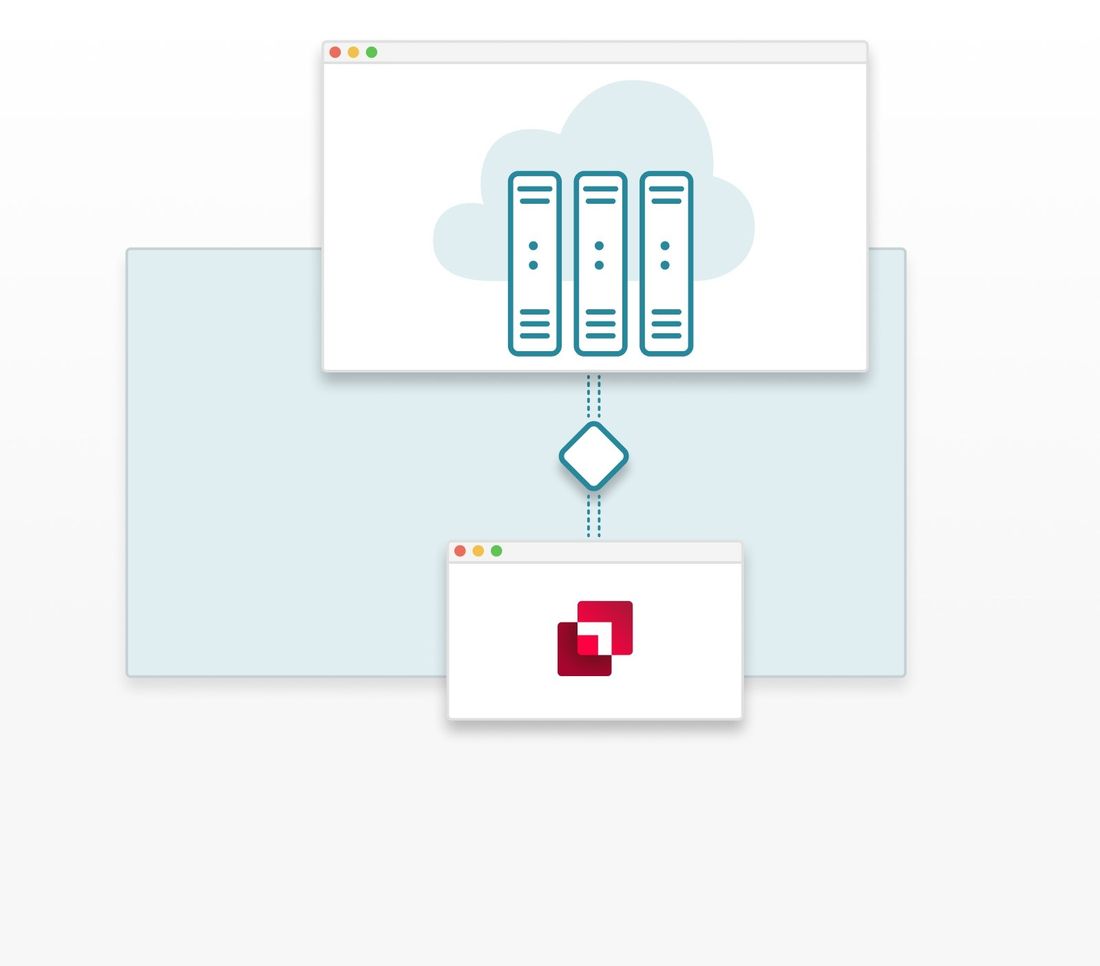
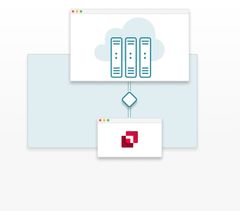
Illustration: SCALE.sdm steuert Jobs auf einem HPC-Cluster

Runner

The Runner connects SCALE.sdm with your HPC clusters. Start jobs from SCALE.sdm, follow their status and get the feedback right next to the data.

  • Submit jobs via workload managers such as SLURM
  • Poll status and feedback continuously
  • Dependent steps, staging and clean-up
  • Configure workflows in YAML
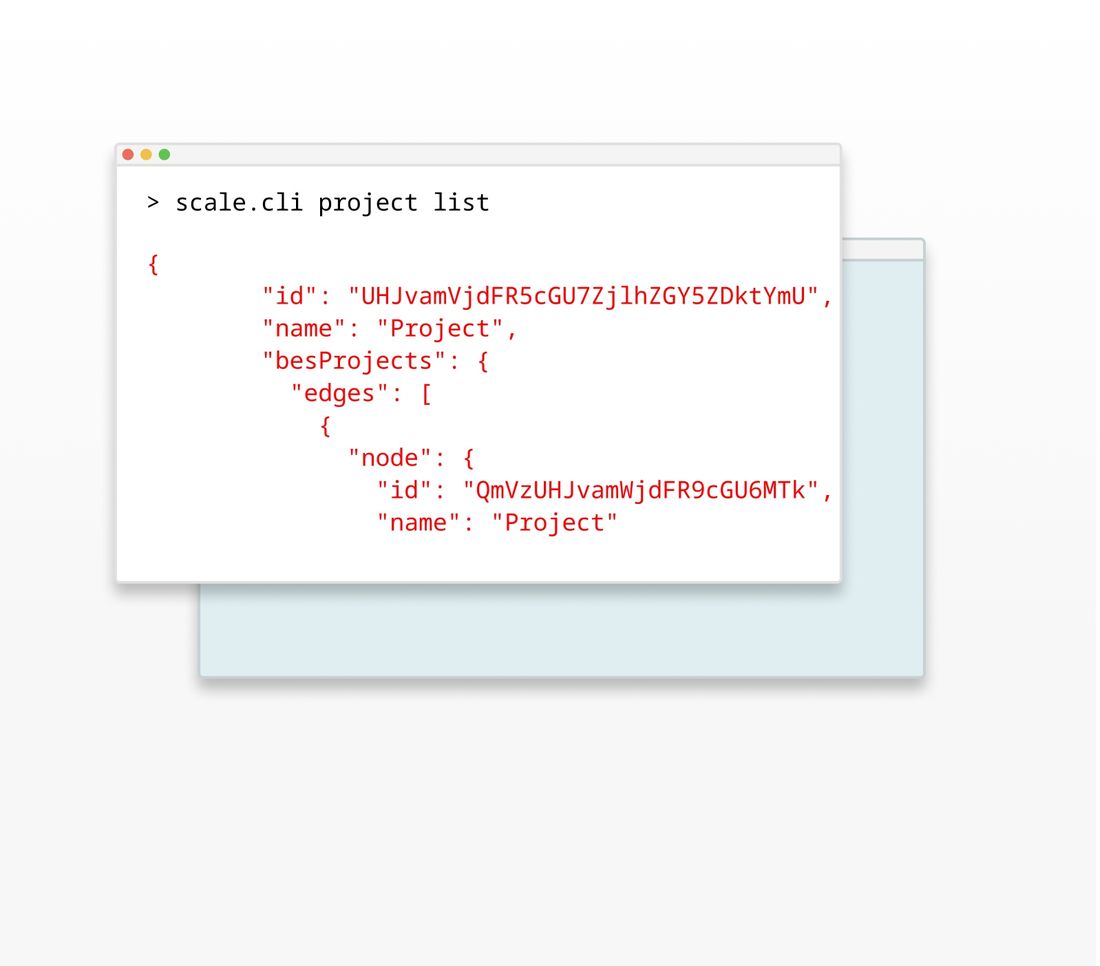
Illustration: Projektliste über die Kommandozeile von SCALE.sdm

CLI

Automate recurring tasks from the command line: create entries, upload attachments, set attributes. Ideal for scripts, batch runs, CI pipelines and headless environments.

  • Create, fetch and delete entries and attachments
  • Set attributes via key-value pairs or files
  • Profiles and help commands
  • Built on the SCALE.sdm API
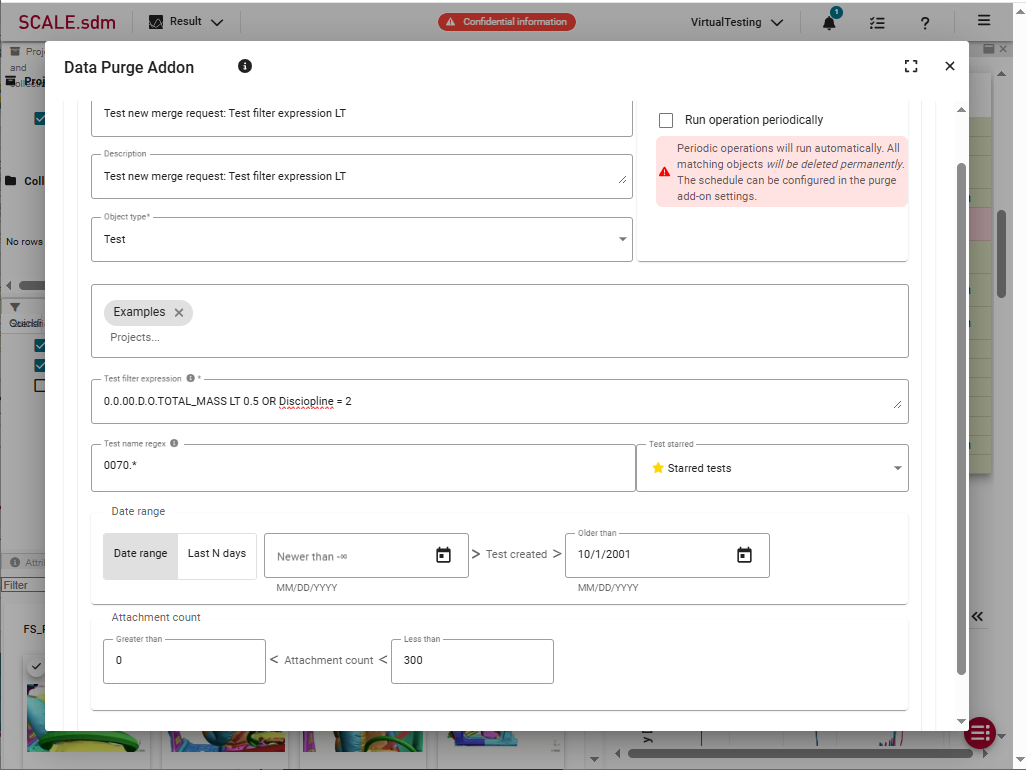
Data Purge: Löschregel mit Filtern und Zeitplan

Data Purge

Data Purge deletes outdated data according to fixed rules – scheduled and fully logged. This keeps the database lean, speeds up the system and helps you meet retention periods and the GDPR.

  • Rules by age, status or attributes
  • Dry run before deleting
  • Schedule recurring purge runs
  • Every action is logged

Let's talk about your CAE data landscape.

In a demo you will see how SCALE.sdm works with your load cases, models and results.