Insights, 12 November 2026
Test Facility and Equipment Manager: Plan Test Rigs and Measurement Equipment Directly in SCALE.sdm
The new add-on brings test facility and equipment planning into SCALE.sdm: one shared plan for the test centre, conflicts at a glance and every booking linked to its load case.
Test rigs, climatic chambers and measurement equipment are often booked out for weeks. Yet their bookings are still often planned in Excel or Outlook, separate from the tests themselves.
One Plan for the Whole Test Centre
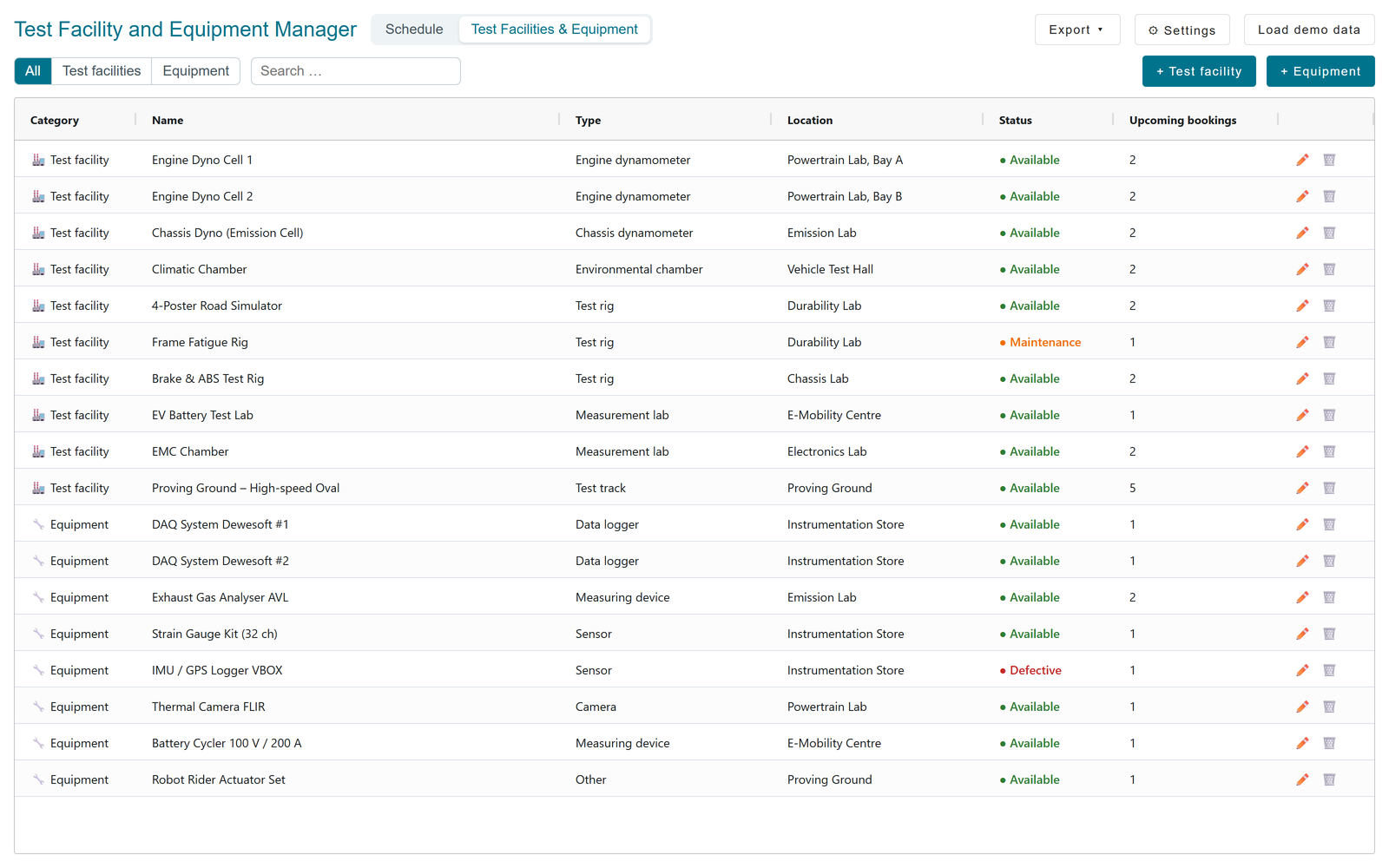
Test rigs, chambers and test tracks appear together with measurement equipment and sensors in one overview. Every facility and every device has a status: available, in maintenance or defective. Everyone can see what is available and when.
See Conflicts Immediately
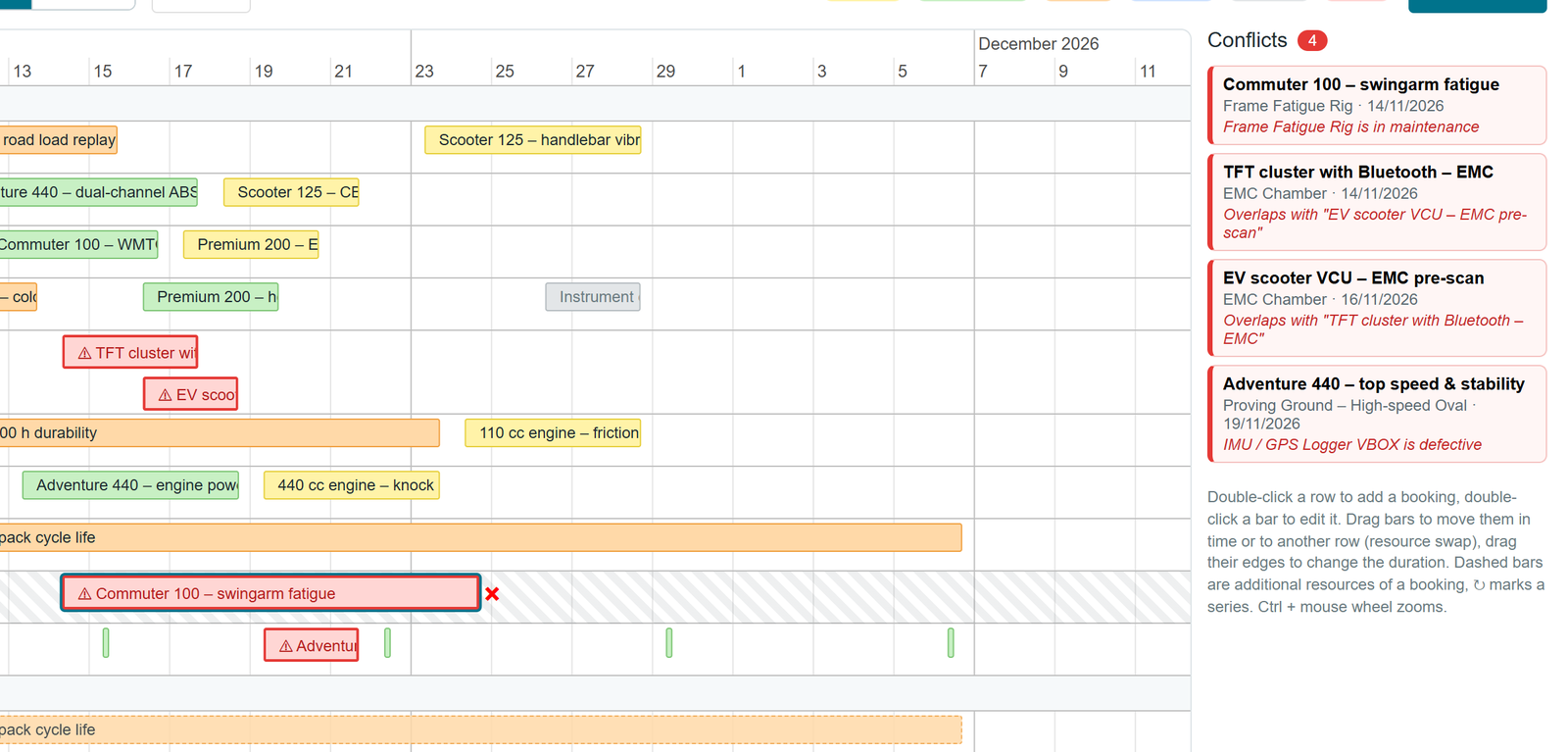
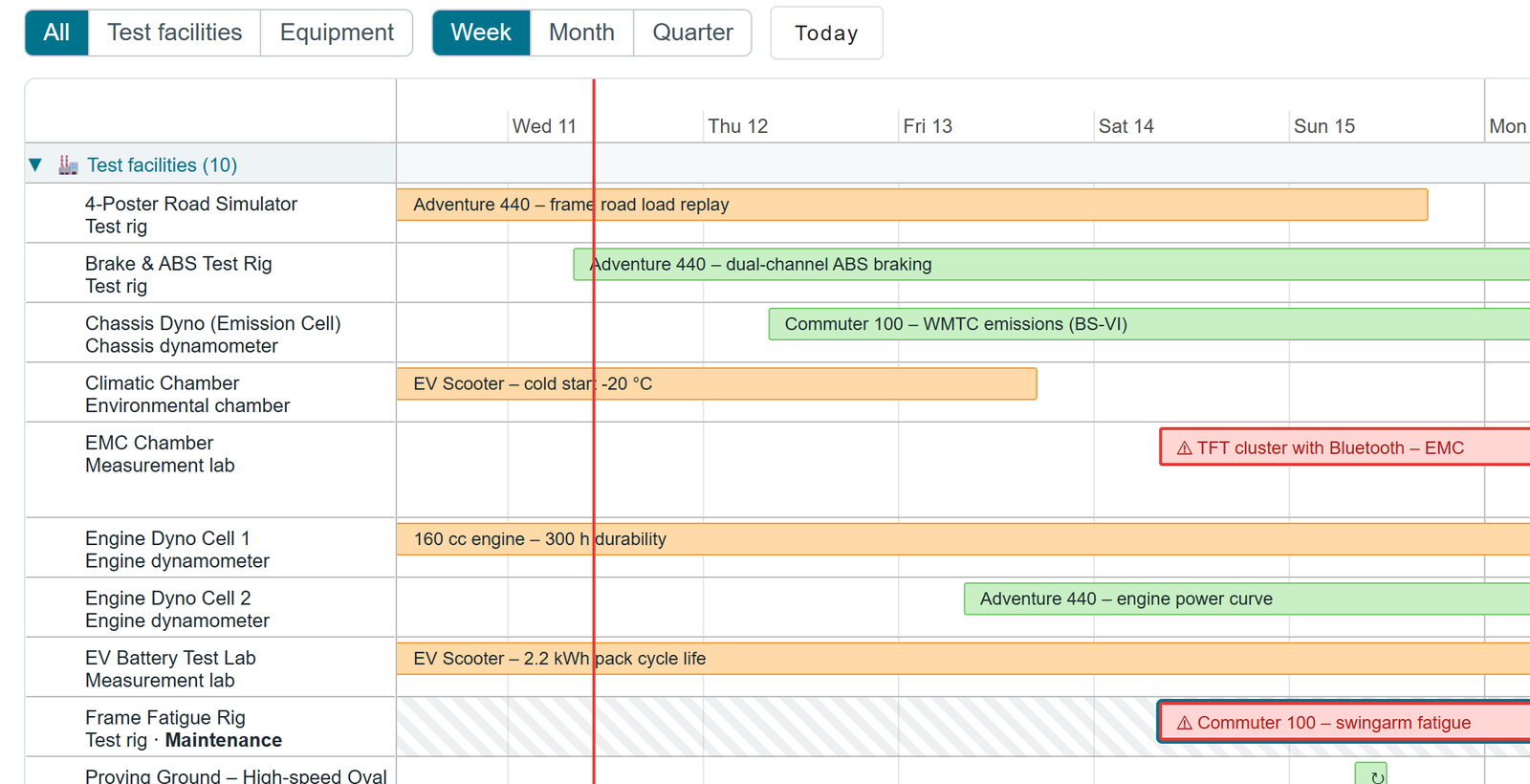
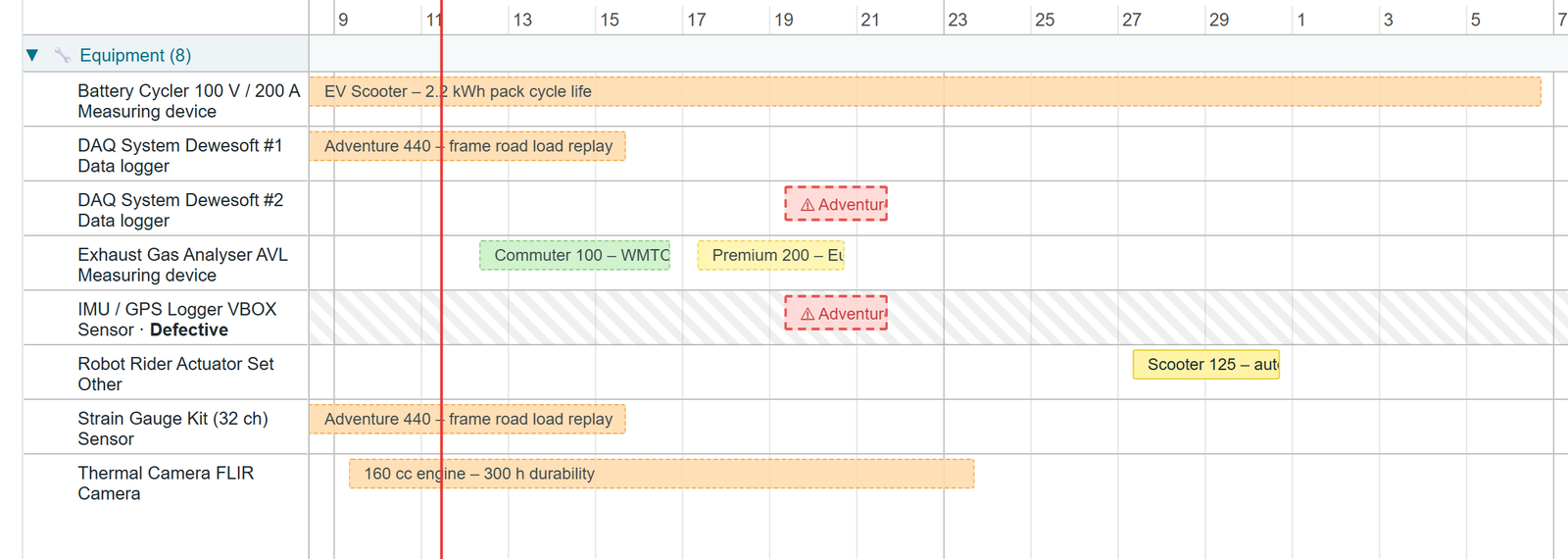
Overlaps and bookings of facilities in maintenance or of defective equipment are marked in red.
A list next to the timeline shows all conflicts. One click jumps to the affected booking.
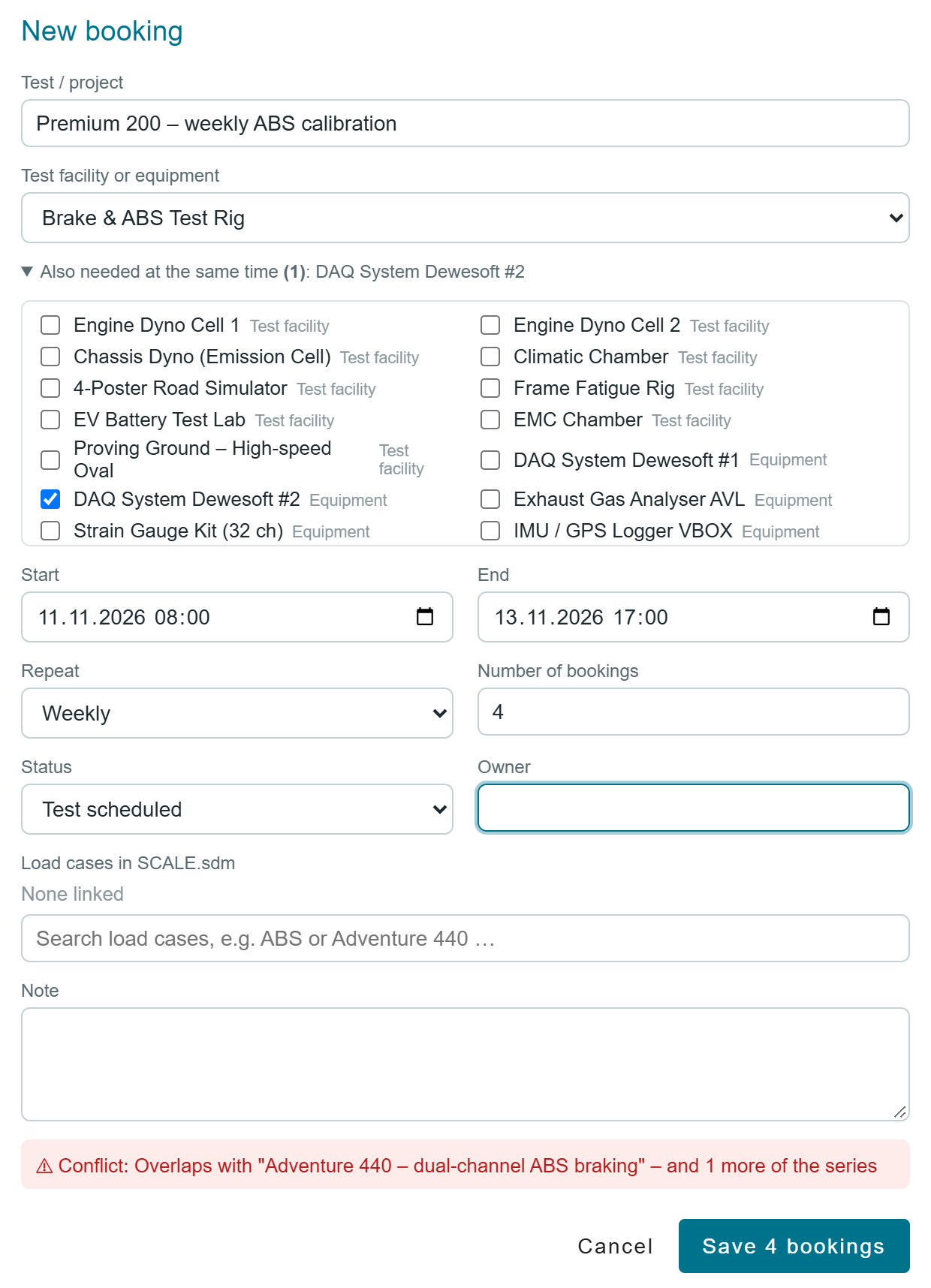
The add-on warns you while you create a booking, even for a whole series.
Plan by Drag and Drop
Bookings appear as bars in their status colours, in a week, month or quarter view. You can move a bar or drag its edges to make it longer or shorter. Drag it to another row and the booking moves to another facility or device.
Tests and Resources Belong Together
A test rarely needs just one rig. A booking can therefore reserve further resources at the same time, for example data acquisition, an exhaust gas analyser or a thermal camera. These resources appear dashed in their own rows, so nobody books them twice.
Recurring Bookings and Load Cases from SCALE.sdm
Calibrations, inspections and endurance runs are created as a series: daily, on weekdays, weekly, every two weeks or monthly. Changes can be applied to the following dates.
Every booking can be linked to the load cases of a SCALE.sdm project. This makes it clear what a facility is booked for.
Made for Teams
Everyone sees the same plan, and changes by others appear automatically.
If two people save at the same time, their changes are merged instead of overwritten.
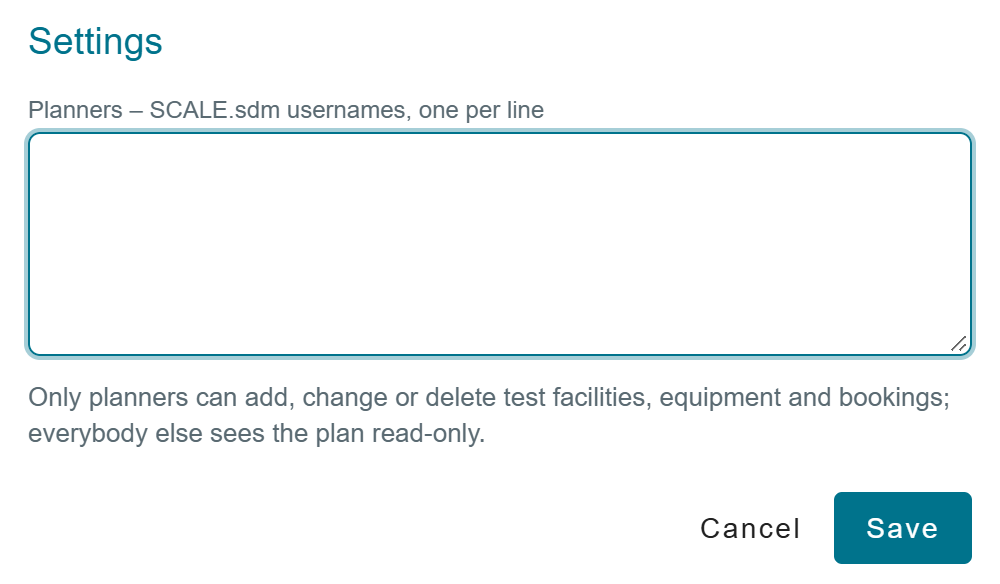
If required, only named planners can make changes. Everyone else sees the plan read-only.
Bookings can be exported to Excel or as a calendar, for example for Outlook. The list of facilities and equipment can be exported to Excel.
Seamlessly in SCALE.sdm
Like Data Analysis, the add-on opens from the SCALE.sdm main menu and needs no server of its own. The data stays in SCALE.sdm.