
Insights, 15 June 2026
Why SCALE.sdm Pays for Itself within Weeks
Simulation teams spend up to 40% of their time on manual overhead – not engineering. Here is where those hours go, and how to get them back.
CAE teams invest heavily in simulations and testing, yet much of that investment is lost to manual work. SCALE.sdm eliminates this waste and pays for itself within weeks.
Return on investment
The ROI at a Glance
Each workflow improvement translates directly into measurable time savings. Together, they compound:
- 25 %Time savings on routine tasks
- 20×Faster resultretrieval
- 10×Faster parallelrun management
- 1Click to startany simulation
The hidden cost
The Invisible Problem: Time Lost in Routine
The average CAE engineer spends an estimated 30–40% of their working time not on analysis, but on everything around it: organising data, manually submitting jobs, writing documentation after the fact, and explaining to colleagues where results are stored.
Where the time goes
Seven Workflows SCALE.sdm Transforms

Creating New Simulation Variants
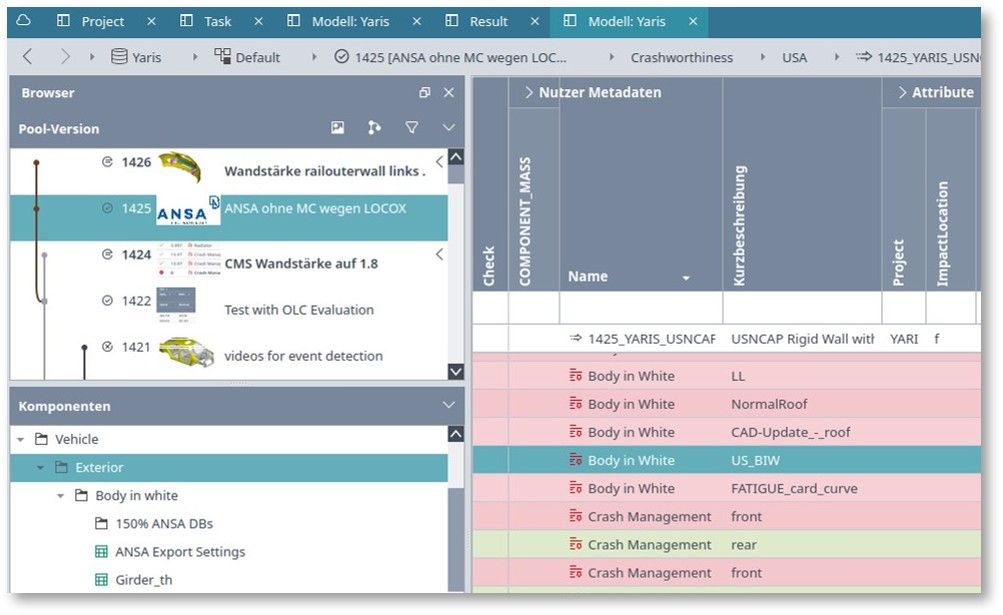
Product development constantly produces new variants – different materials, slightly modified geometries, updated load cases. Without tooling, this means copying files, adjusting paths, and manually transferring settings. With SCALE.sdm, you select an existing simulation as the starting point, adjust a few parameters, and the new variant is fully configured – including automatic geometry checks, mesh quality validation, and correct boundary conditions.
~3× faster · 3–5 min → 1–2 min per variant
Submitting Simulation Jobs
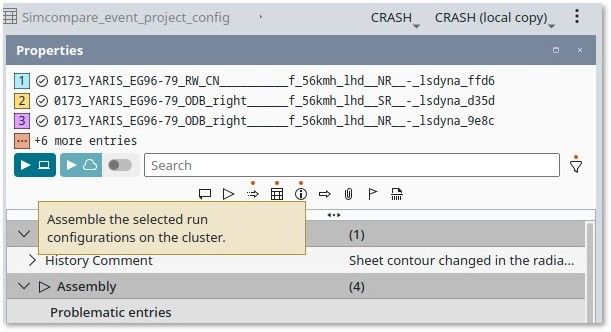
Anyone who submits jobs to an HPC cluster knows the ritual: log in to the server, call the script, check the queue, manually query the status. SCALE.sdm replaces this with a standardised, UI-guided workflow. Select resources, start the job, monitor the run – all in one interface, no command line required.
8–10× faster · ~10 min → under 1 min
Managing Parallel Simulation Runs
Parameter studies, design variants, load scenarios – often dozens of simulations need to run simultaneously. Without support, chaos follows quickly: which job is running where? Which results belong together? SCALE.sdm starts and monitors all calculations centrally in a single action. No manual tracking, no individual scripts.
10–20× faster · manual scripts → one action
Documentation That Writes Itself
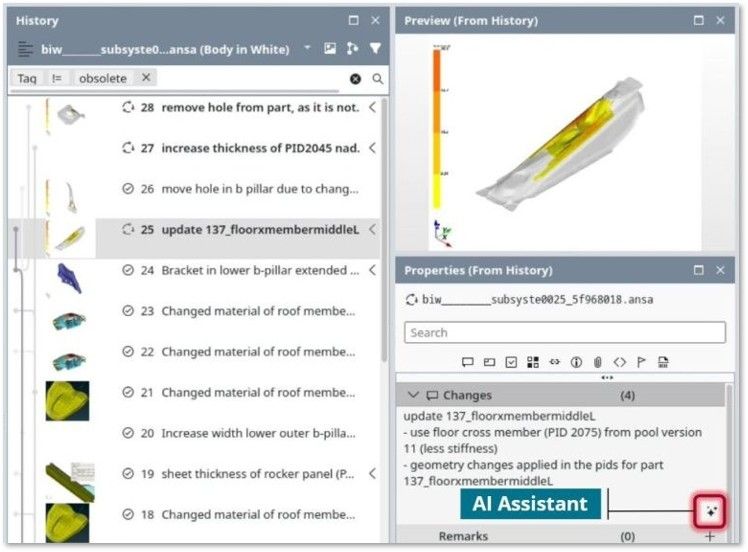
Documentation is often treated as an afterthought – and it shows. Knowledge disappears, decisions become impossible to reconstruct, and audits turn into ordeals. SCALE.sdm links every change automatically to the corresponding simulation data. AI-assisted functions help produce change comments efficiently and consistently, so documentation is no longer retrofitted but emerges during the work itself.
8–10× faster · external docs → fully integrated
Finding Results, Not Searching for Them
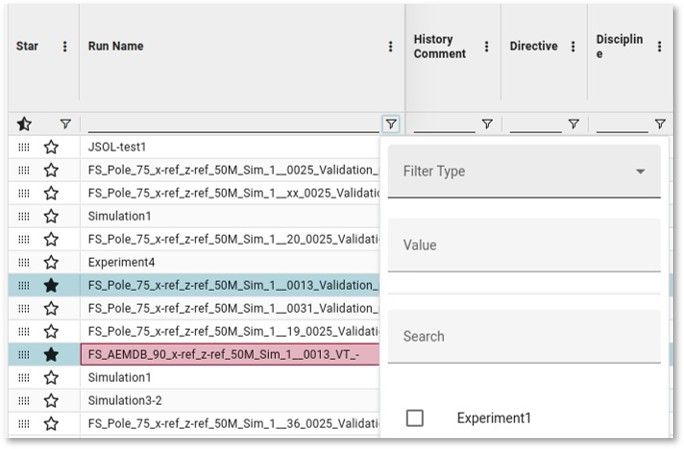
"Didn't we already simulate this? Where was that result again?" This question costs hours in practice. SCALE.sdm stores all results with complete metadata, centrally and searchably – even months after a simulation was run. Upcoming AI-powered search will go further, surfacing relevant data even from imprecise queries and recognising relationships automatically.
15–20× faster · folder hunt → instant retrieval
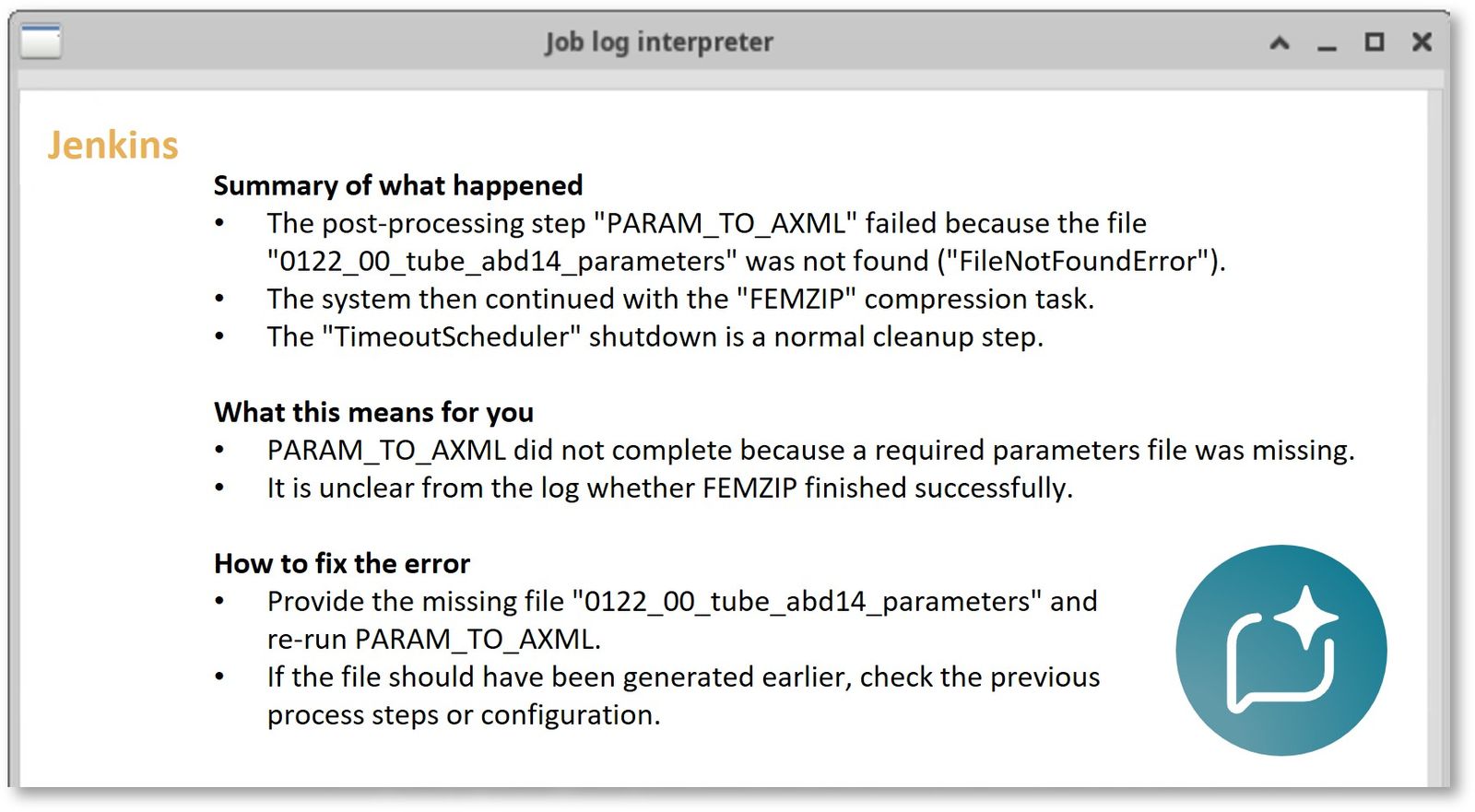
Diagnosing Errors in Complex Process Chains
Automated simulation pipelines are powerful, but when something goes wrong, root-cause analysis is often time-consuming. SCALE.sdm gives engineers clear visibility into process status, traceable error logs, and – with upcoming AI support – concrete guidance on the likely cause.
3–5× faster diagnosis · AI-assisted in future releases
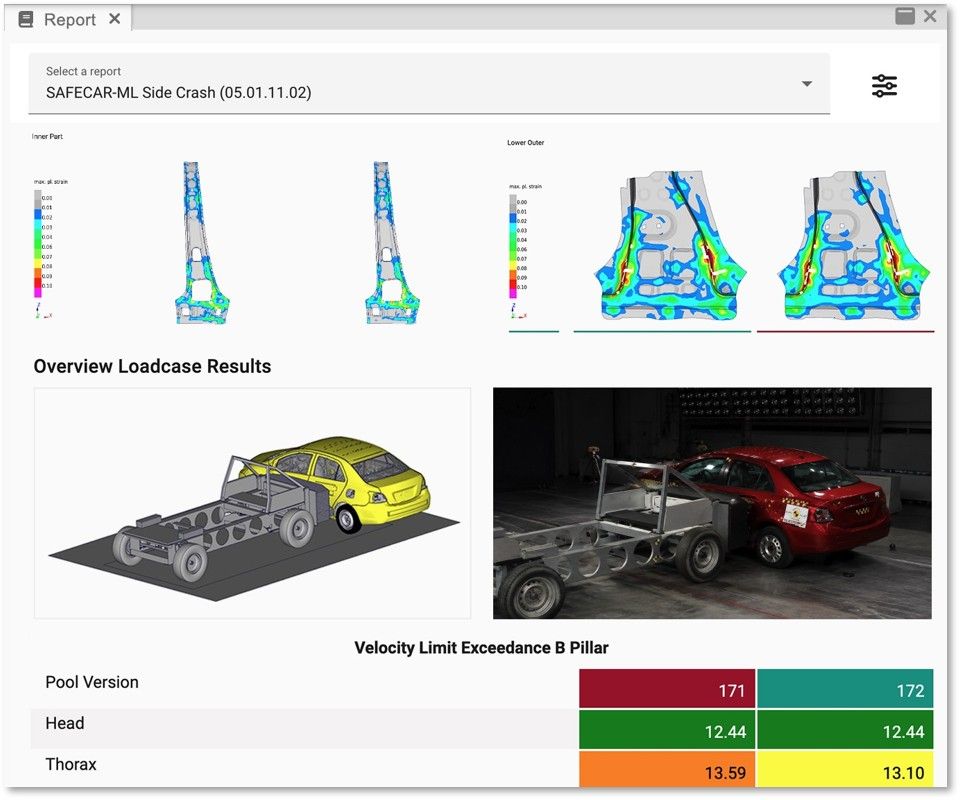
Reports at the Click of a Button
In many teams, reports are still assembled by hand: download results, paste into a slide deck, update numbers, check layout. SCALE.sdm generates reports directly from system data – interactive, current, and without any manual data transfer. Particularly powerful: updated report templates can be applied to historical data in one click, making like-for-like comparisons across model generations a matter of minutes.
8–10× faster · manual assembly → one click
Process-by-Process Comparison
Workflow Step | Without SCALE.sdm | With SCALE.sdm | Speed Gain |
Create new variant | 3-5 min | 1-2 min | ~3× |
Submit simulation job | ~10 min via SSH | <1 min, 1 click | 8–10× |
Manage parallel simulations | Manual / scripts | Single action | 10–20× |
Create documentation | External, time-intensive | Automatic & integrated | 8–10× |
Retrieve past results | Hours of searching | Seconds | 15–20× |
Debug process errors | Laborious, manual | Structured + AI guidance | 3–5× |
Generate reports | Manual assembly | One click | 8–10× |
More Articles
All Articles → Insights, 12 November 2026
Test Facility and Equipment Manager: Plan Test Rigs and Measurement Equipment Directly in SCALE.sdm
 Insights, 13 October 2026
A New Chapter in India: SCALE India Moves into a New Office
 Insights, 9 October 2026
Invitation to the Webinar on Nov 5, 2026: Introduction to SCALE.sdm